The Library, Workbook and Slack
Everything in the workbook tier, plus a Slack version of every scenario that notifies your team.
€64.97 EURTwenty-seven blueprints across five areas, the workbook, and sixteen Slack versions.
Everything, plus the money. The nineteen scenarios for orders, reviews and leads, and eight more for the paperwork they leave behind: recurring invoices raised and emailed, payments marked off, one overdue reminder, expenses logged and flagged, renewal reminders sent before the charge lands, failed payments recorded both ways, and two standing reports on what is still unpaid.
Forty-three blueprint files: twenty-seven scenarios, plus sixteen of them rebuilt to post in Slack. The workbook grows to ten data tabs and the dashboard gains the invoice and expense figures. Almost nobody should install all twenty-seven at once, and the guide says so on its first page.
| Item | Detail |
|---|---|
| Blueprint files | 43 x .json, 27 scenarios and 16 Slack versions |
| Workbook | 1 x .xlsx, 13 tabs with live formulas |
| Setup guide | PDF, 39 pages |
| Workbook guide | PDF, 4 pages |
| Slack guide | PDF, 4 pages |
| Sheet templates | 10 CSVs, one per data tab |
| Diagrams | 5 annotated images |
| Licence | Plain text file, single business |
Contains: The Library, Workbook and Slack.
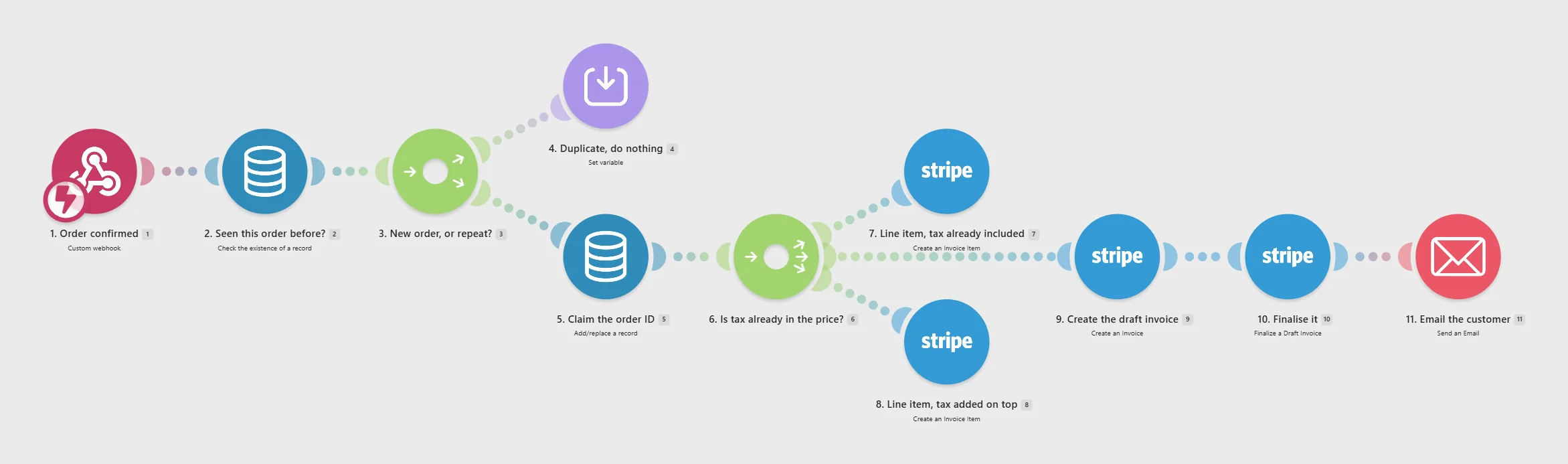
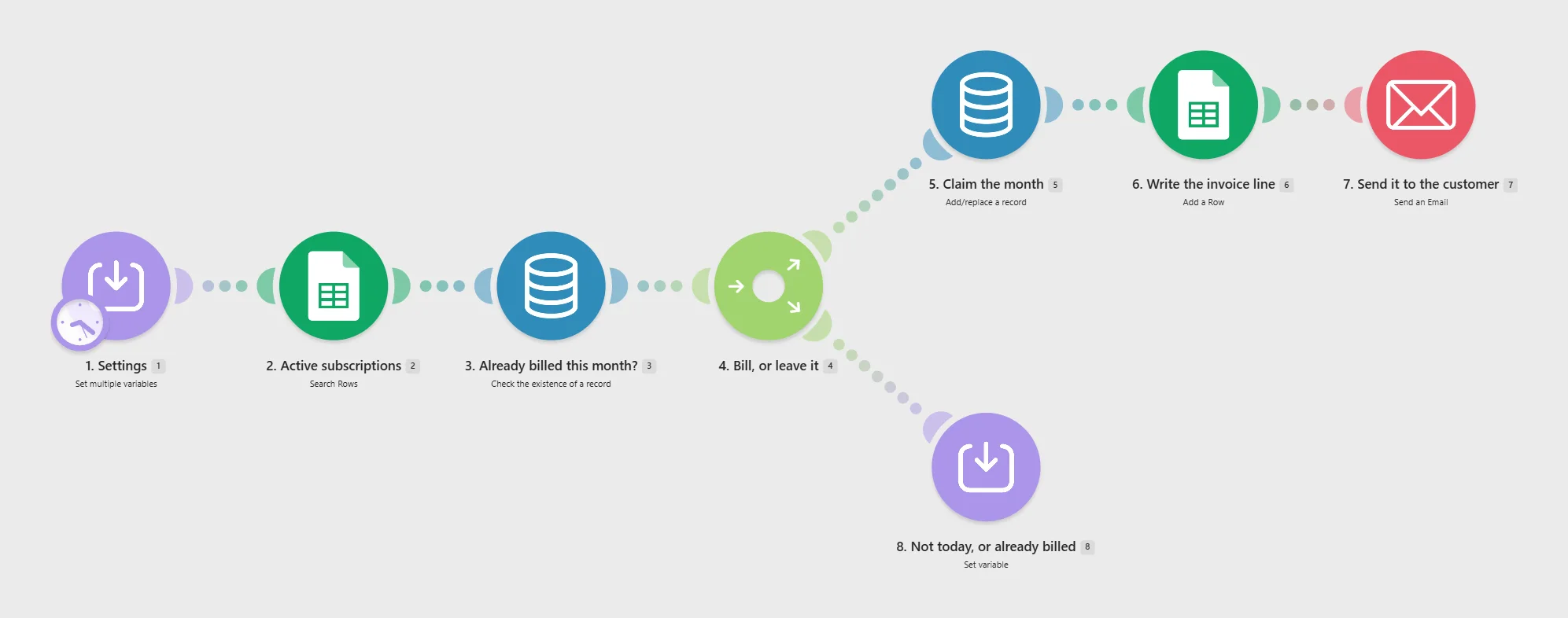
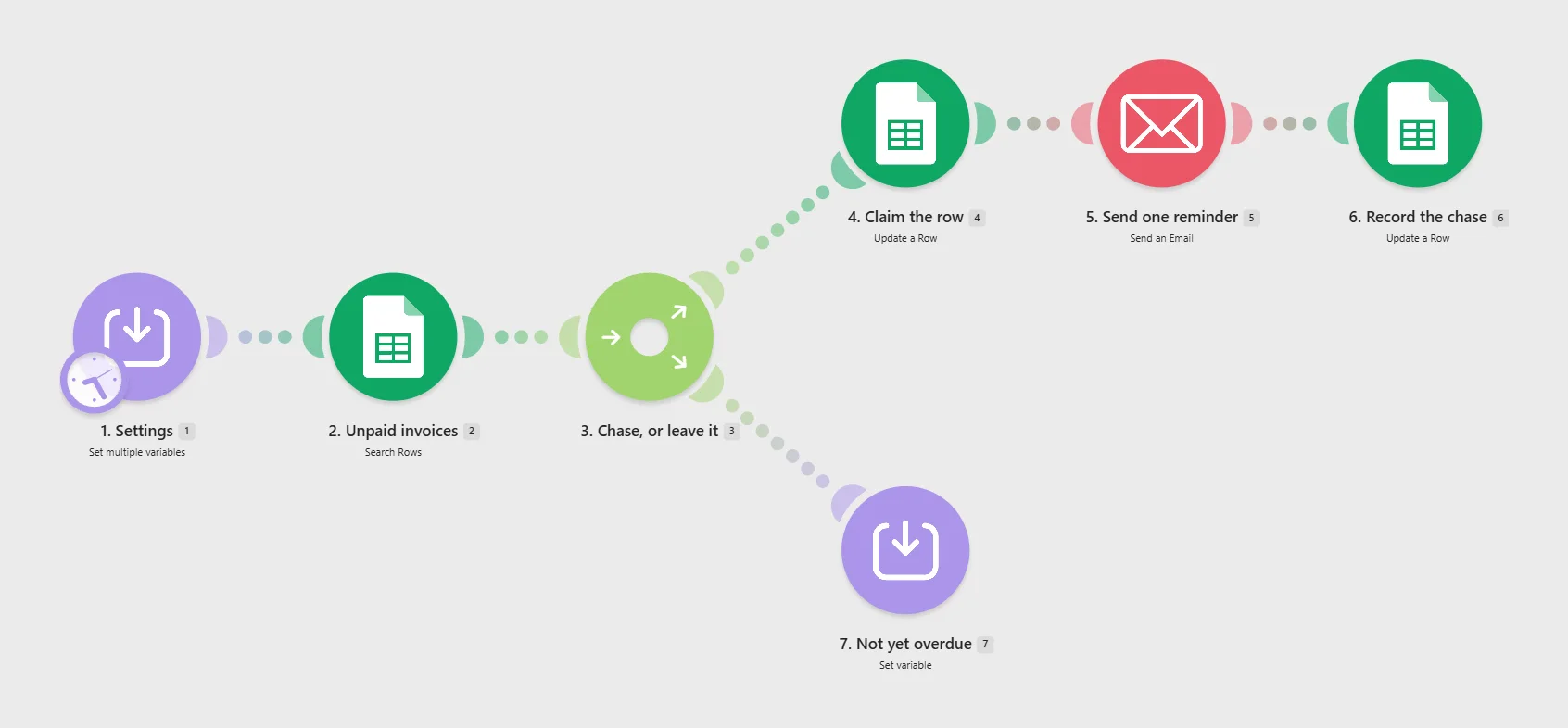
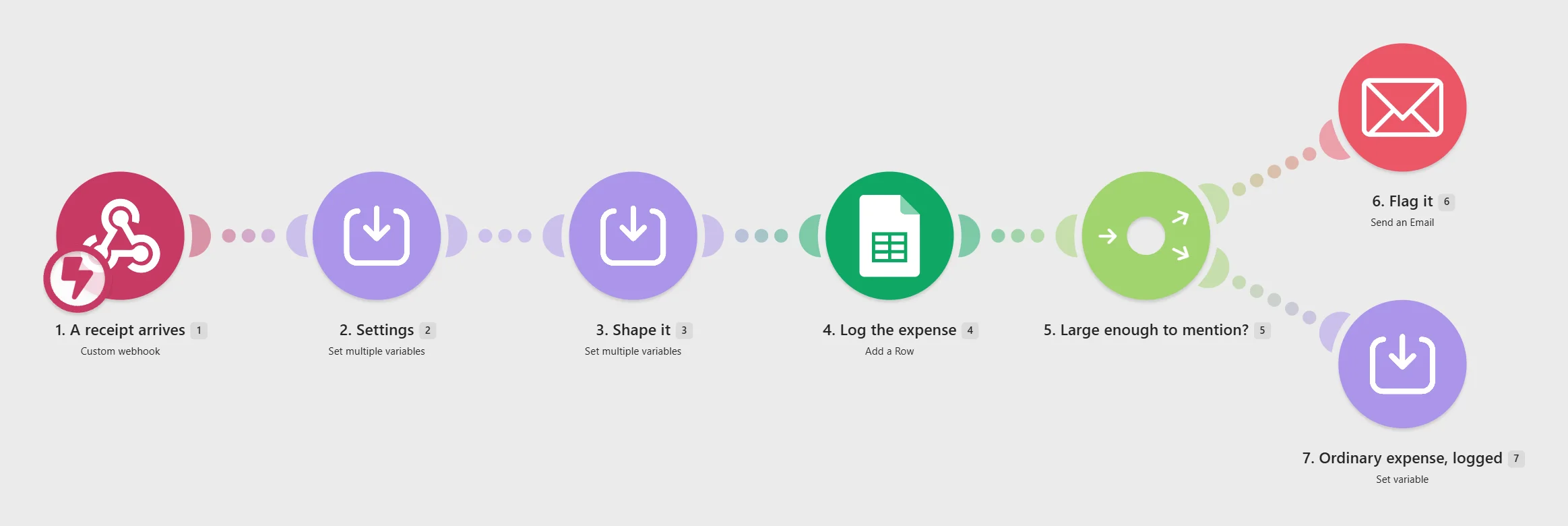
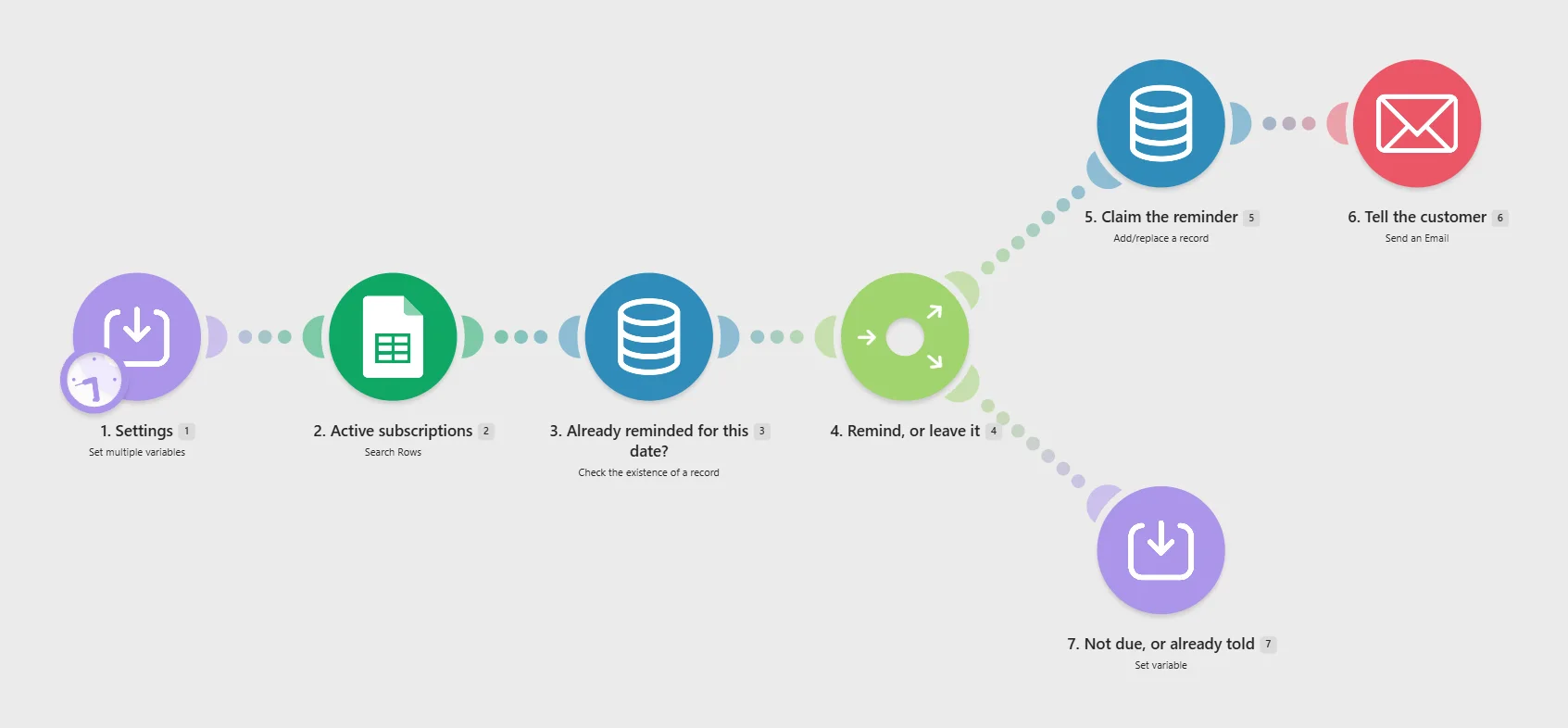
Five of the scenarios in this download, imported into Make.com from the blueprint files. The module names are the ones you will see in your own account; every scenario in the folder is built the same way.
You can ask for a refund within 14 days of purchase. Email support@kettleford.com from the address you bought with, and say which product it is. You do not have to give a reason.
Refunds are returned to the card you paid with. They usually appear within five to ten business days, though that is your bank's timing rather than ours. The seller issues the refund directly; there is no third party you need to chase and no committee to persuade.
Because these are files you download, we cannot take them back. Asking for a refund ends your licence to use them, and you agree to delete the copies you hold, including any you have imported into a Make.com account.
If a blueprint will not import, or a step in the documentation does not work as written, tell us before you ask for a refund. We would rather fix it, and a fix helps the next buyer too. If we cannot fix it, you get the refund whether or not the 14 days have passed.
We do not refund a purchase because a scenario needed a paid Make.com plan or an app you do not have. Every product page lists what you need before you buy, under "What you need before you buy". Please read it.
The full refund policy page adds the sections on returns, cancellation and EU and UK consumer rights.
The full licence terms set out the standard licence, the client deployment licences and the Agency Licence together.
Eight scenarios covering money and admin, four more Slack versions, and three more tabs on the workbook with the invoice and expense figures on the dashboard. If invoicing and chasing is the part of your week that hurts, this is the tier that touches it.
For two of the eight. Payment received and failed payment both wait for a webhook. The other six read and write the spreadsheet, so recurring invoices, chasing, expenses, renewals and both reports work whether or not anything can call you back.
No, and it should not be treated as one. It raises and chases invoices and logs what you tell it. It is not a ledger, it does not do double entry, and it is not a substitute for reconciling against your bank. The month end scenario deliberately lists rather than totals for that reason.
Almost certainly not. They pass work through the spreadsheet rather than calling each other, so any subset works, and sixteen of them run on a schedule and cost operations whether or not there is anything to do. The guide opens with the four to start with.
Something not answered here? Email support@kettleford.com before you buy. We reply within one US business day, Monday to Friday.
Everything in the workbook tier, plus a Slack version of every scenario that notifies your team.
€64.97 EUREvery blueprint, the workbook and the Slack versions, plus a register of every setting in one sheet, and everything released in the twelve months after you buy.
€119.97 EUREverything Kettleford sells, licensed for deployment in your clients' own Make.com accounts.
€219.97 EUR